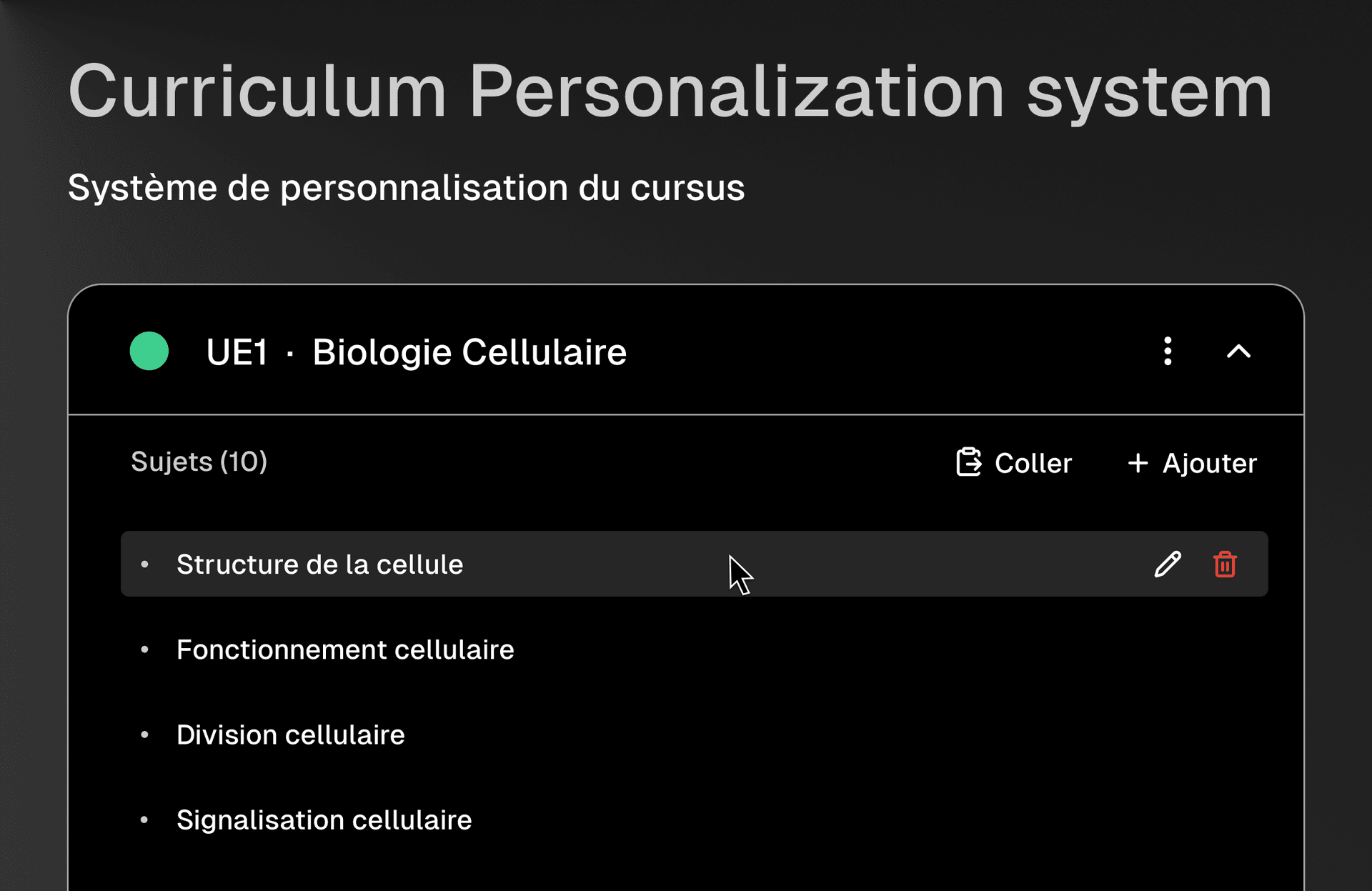
We've been busy building features that make Akademe work better for how you actually study. Today, we're excited to introduce our new Curriculum Personalization System, a smarter way to set up and manage your academic journey.
School-Based Curriculum Sharing
One of our most requested features is finally here. When you select your school during onboarding, Akademe now automatically detects if other students from your institution have already created curricula for your program.
- Instant setup: If a curriculum template exists for your school and program, you can adopt it with one click
- Customize freely: Start from an existing template and adjust it to fit your needs
- Help your peers: Be the first to create a curriculum for your program and help future students get started faster
No marketplace complexity, no ratings to worry about, just seamless sharing within your school community.
School Reference Database
We've integrated with Google Places to build a comprehensive school database. During onboarding, you can now:
- Search for your school by name
- Filter by country and domain (University, High School, etc.)
- Add your school if it's not already in our system
Your school selection helps us tailor your experience and connect you with relevant curriculum templates.
Automatic Semester Transitions
Managing your academic calendar just got easier. Akademe now handles semester and year transitions automatically:
- Smart detection: The system knows when your semester ends based on your academic calendar
- Seamless transitions: Move to the next semester without losing your progress or settings
- Correct date ranges: Semester 1 runs September to December, Semester 2 runs January to June
Redesigned Academic Settings
We've completely overhauled the academic settings experience with a cleaner, more intuitive interface:
- New chip/pill UI for program selection
- Your current school displayed in the academic status card
- Improved dropdowns with better usability
- Full localization support (English and French)
Migration for Existing Users
If you're an existing user, don't worry, we've built a migration system that will guide you through updating your profile with the new school and curriculum settings. Your existing data and progress are safe.
What's Next
We're continuing to improve Akademe based on your feedback. Coming soon:
- Enhanced analytics for curriculum progress
- More customization options for curriculum templates
- Improved spaced repetition tied to your curriculum
As always, we'd love to hear your thoughts. If you have feedback or run into any issues, reach out to us, your input shapes what we build next.